IDE
Overview
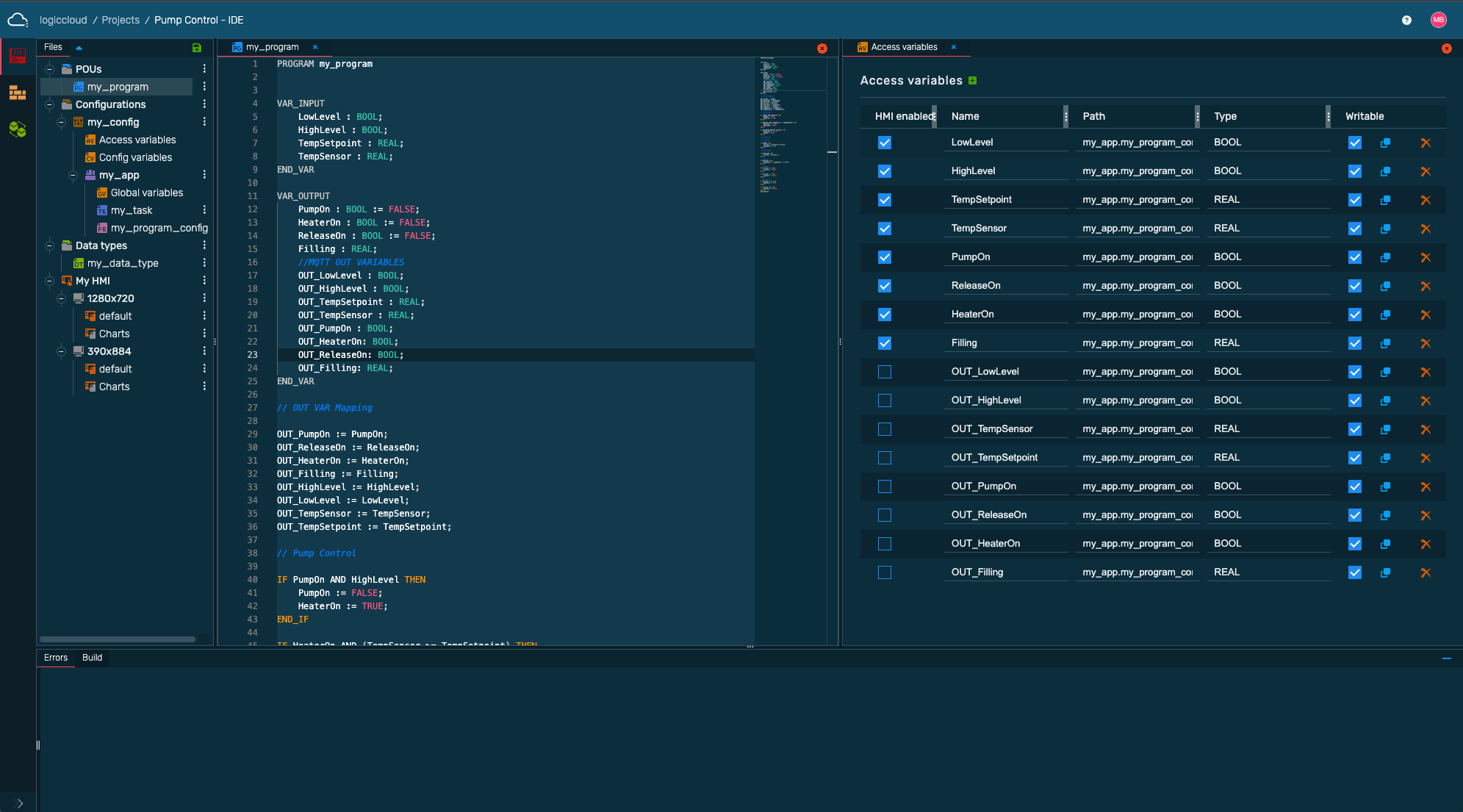
Project tree
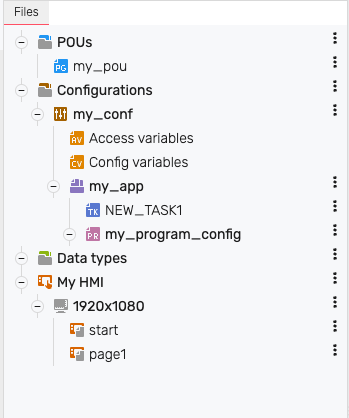
The project tree contains all files and configurations of the project. You can move the elements by dragging & drop. To add or edit items or folders, hover the mouse over the existing items and click the corresponding icons.
Variable declaration and program code
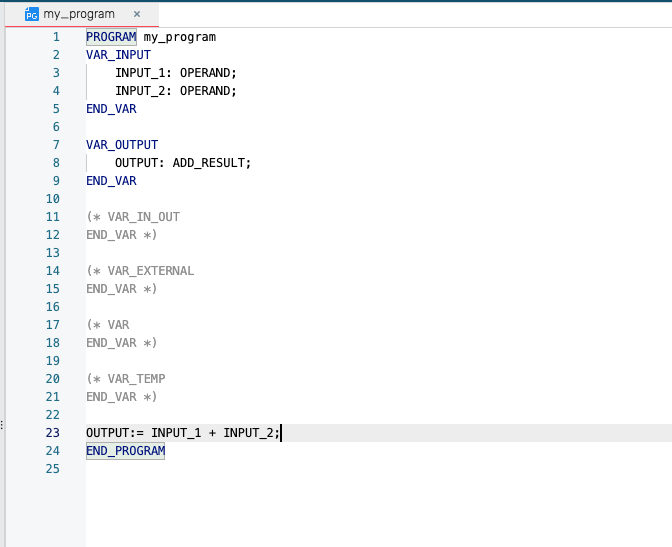
The upper area contains the variable declaration. Here you can declare variables and make settings, depending on which element is selected in the project tree. In the area below the variable declaration you can write your program code.
Terminal
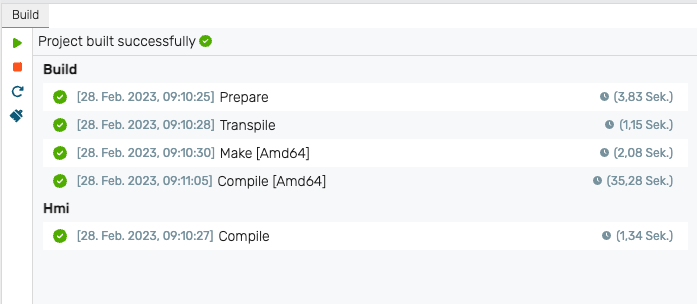
The terminal is located in the lower area. Here you can see information about your builds.
Error handling
In the Error Handling section you can see any syntax errors in the program code and jump directly to the corresponding location.
logiccloud Assistant
Virtual assistant to support programming. You can ask anything, be it for explanations of existing code, or to generate ST code.
Customization
For easier and more efficient work with the logiccloud IDE, you can customize the user interface. You can arrange the tabs accordingly by dragging & drop.
Shortcuts
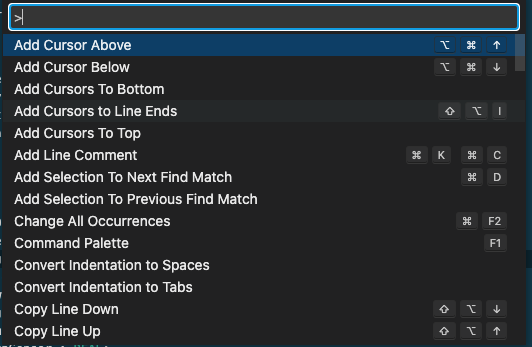
The IDE Editor supports a number of shortcuts that allow you to work faster on your program code. You can open the shortcuts overview via the F1 key. For example, you can comment out multiple lines, easily copy entire lines, or make quick changes using search and replace.