Runtimes
Under Runtimes, you can deploy your builds as a runtime, either logiccloud Control Edge or logiccloud Control Cloud.
You will also see all created runtimes with the status active or inactive.
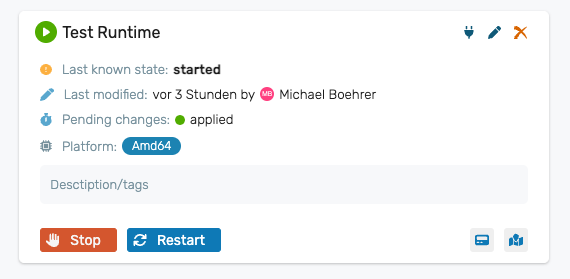
Create new runtime
- Navigate to Runtimesin your project.
- click on the green + icon
- Select the build from which you want to create a runtime.
- Enter name, description and coordinates and select platform, configuration and resource.
- You can assign tags to categorize your runtimes.
- Click Save.
- Edit verbing settings
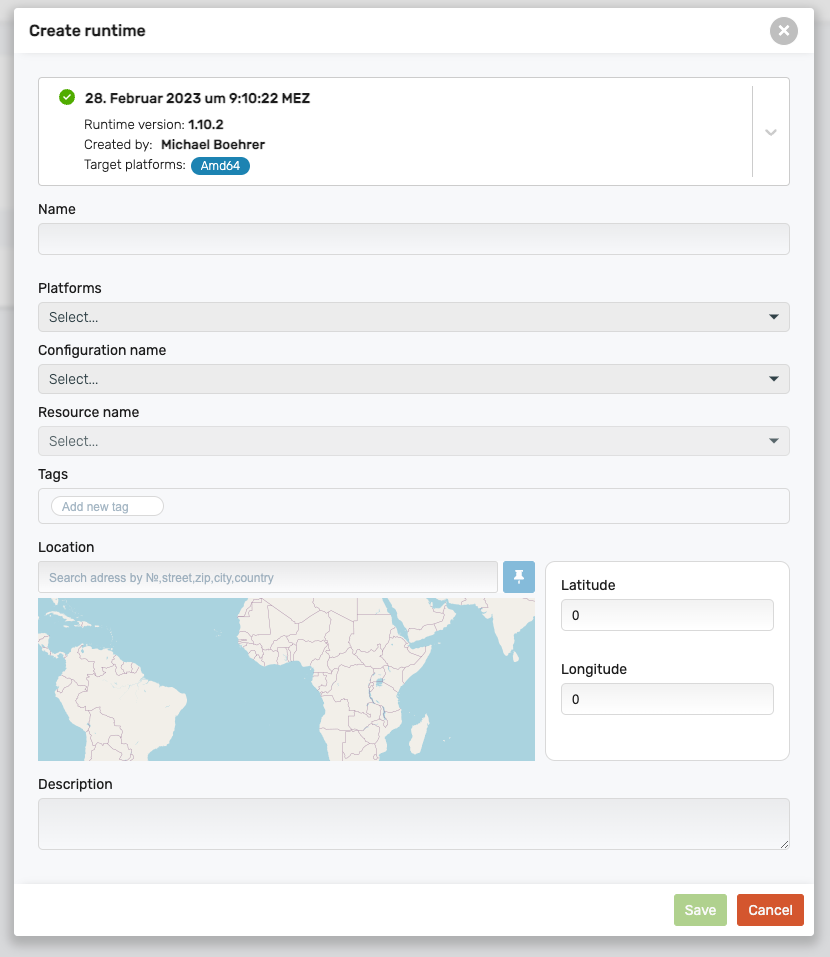
Runtime properties
Build: Selection of the builds that can be used for the runtime
Name: Runtime name
Description: Description
Latitude: Longitude coordinates that you can assign so that the runtime is displayed on the overview map.
Longitude: Latitude coordinates that you can assign so that the runtime is displayed on the overview map.
Platforms: Select for which target platform the runtime should be created.
Configuration name: Selection of the configuration to be used for the runtime.
Resource name: Selection of the resource to be used for the runtime.
Tags: Tags that can be freely assigned.
Deployment
There are several options for deploying logiccloud Control.
logiccloud Control 365 Runtimes
logiccloud Control 365 runtimes are automatically deployed in the cloud. You can easily start this via the Start button.
Installation of logiccloud Control on your device
You can install logiccloud Control on your device. You can find instructions here: install logiccloud Control. You can find the deployment of the runtimes on your device at logiccloud Control Deployment.