Modbus TCP
logiccloud control runtimes on your edge devices can connect to your I/Os or other devices via Modbus. For this purpose, a new Modbus connection must be created and parameterized in the connection settings of the respective runtime.
Create new Modbus TCP connection
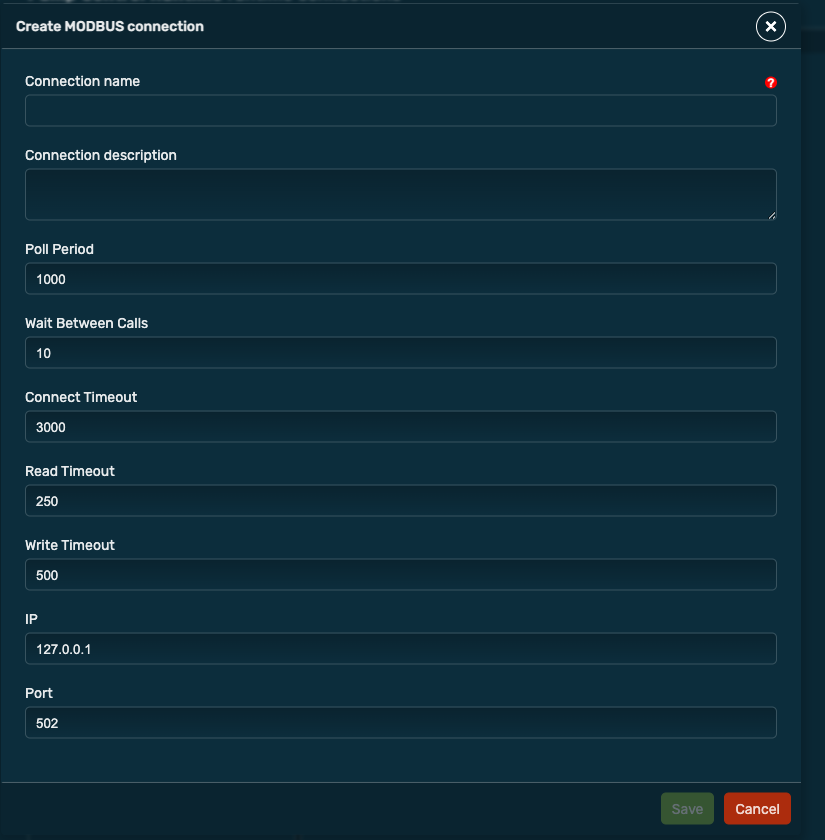
Select Add MODBUS connection and enter all necessary information such as the name, IP and port of the device. In addition, you can still adjust the Poll Period and make other settings.
Create Modbus Unit
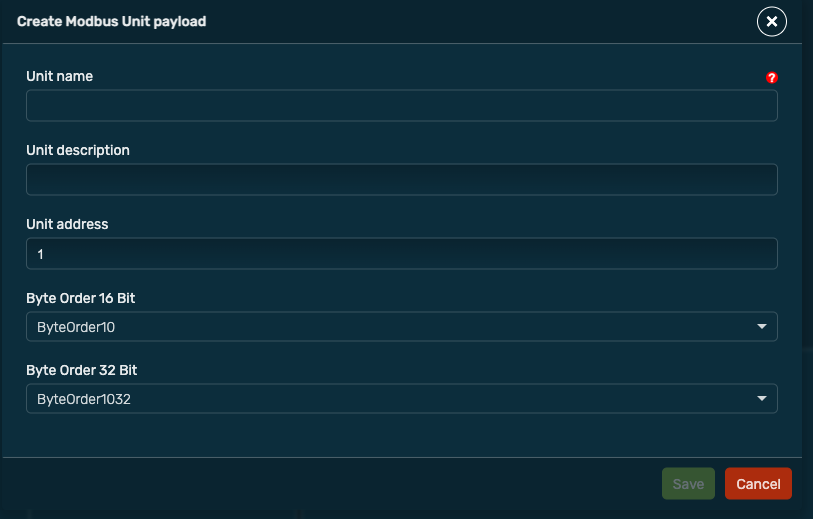
After the Modbus connection, a unit can be created. To do this, right-click on the connection and select Add Modbus unit . Here you can define the name, the address and the byte order.
Map Modbus payloads and variables
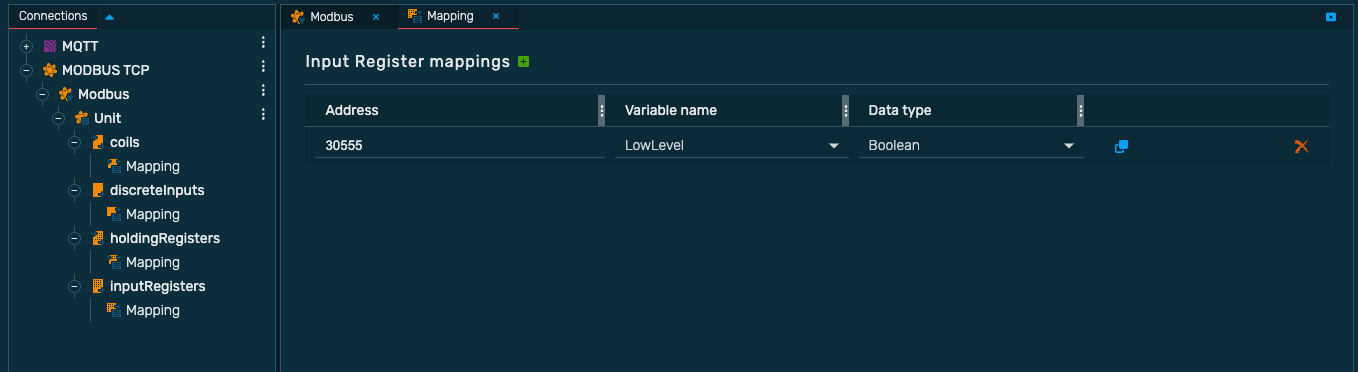
Finally you can map the process variables with Modbus registers. To do this, select the appropriate registers, for example Input Registers and create a new register mapping via the green + icon. After that you can set the address, the process variable and the data type.